Content tagged with: visual studio
Learn how to use HTML5 and CSS3 on ASP.NET with Visual Studio. It explores what HTML5 and CSS3 have to offer modern application developers and how you can use them with ASP.NET for rich Web applications.
Windows 8 comes with a brand new Metro style app experience where native developers and designers can work in parallel. Ones in behavioral aspects and the others in UI. This talk offers an end-to-end view of the developer experience for this kind of application, from the solution creation to the marketplace publication.
This video shows and discusses some of the new features of Visual Studio 11 Beta, including the new IDE, blend support for HTML, improved XAML Designer, unit test explorer and automatic running of unit tests, hosted Team Foundation Server, Metro style application development.
This video presents the methodology for creating Eclipse and Visual Studio-based toolkits, and introduce Visual Studio Pattern Automation Toolkit, a toolkit for toolkit developers.
http://www.infoq.com/presentations/Comparison-of-Automation-Tooling
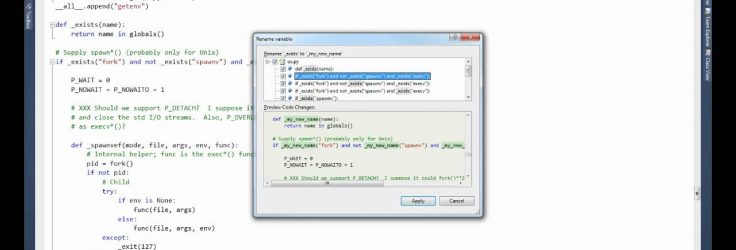
A short demo of the refactoring capabilities of Python Tools for Visual Studio. Python Tools for Visual Studio is a free and open source plug-in for Visual Studio 2010 from Microsoft’s Developer Division. PTVS enables developers to use all the major productivity features of Visual Studio to build Python code using either CPython or IronPython and adds new features such as using High Performance Computing clusters to scale your code.
Behavior-Driven Development is more than a technique for creating and organizing unit tests. It is also a wonderful way to communicate with customers and users about the software being created. This video demonstrates some techniques and tools you can use to start delivering software with BDD. : Using Behavior-Driven Development frameworks, this session explores ways to create software starting with solid Agile requirements, moving all the way through automated testing. We use .NET in C# and Visual Studio ALM, although none of these exact tools are required to accomplish the …
Learn about next generation of ASP.NET Web Deployment with tips & guidance on how you can reuse and extend the technologies available with VS 2010 to build a hassle free web deployment solution for your team. See how to use VS 2010 and MS Deploy to assist with with creating virtual directories in an automated fashion, setting up app pools correctly, uploading only the changed content, replicating servers in web farms, modifying Web.config files for testing/staging/pre-Prod/UAT/Production environments, setting up team build environment or deploying databases.
Watch Bob Muglia announcing the general availability of Microsoft Visual Studio 2010 and .NET Framework 4 and discussing the 50-plus partners simultaneously shipping product with the release.
Learn how to encapsulate structure, animation, and logic inside custom controls that handle theming, layout, validation, and data binding. Using Microsoft Visual Studio and Microsoft Expression Blend, explore advanced design, coding, debugging, and testing techniques for building components that work interchangeably in Silverlight and Windows Presentation Foundation (WPF).
Come learn about a series of features and technologies available through Microsoft Visual Studio and out-of-box solutions that will make you more productive in the Visual C# IDE. Whether you’re trying to come up to speed with an unfamiliar code base, navigate your way through a large solution, write in new pieces of business logic, or test your application, these tips and tricks will help you get your job done better and faster.


Twitter
Facebook
RSS Feed